Aetna · Healthcare · Salesforce SLDS
Communication Portal Redesign
Transforming a fragmented agent interface into a real-time, responsive portal that put the right client communications — in any media format — at agents' fingertips.
The Problem
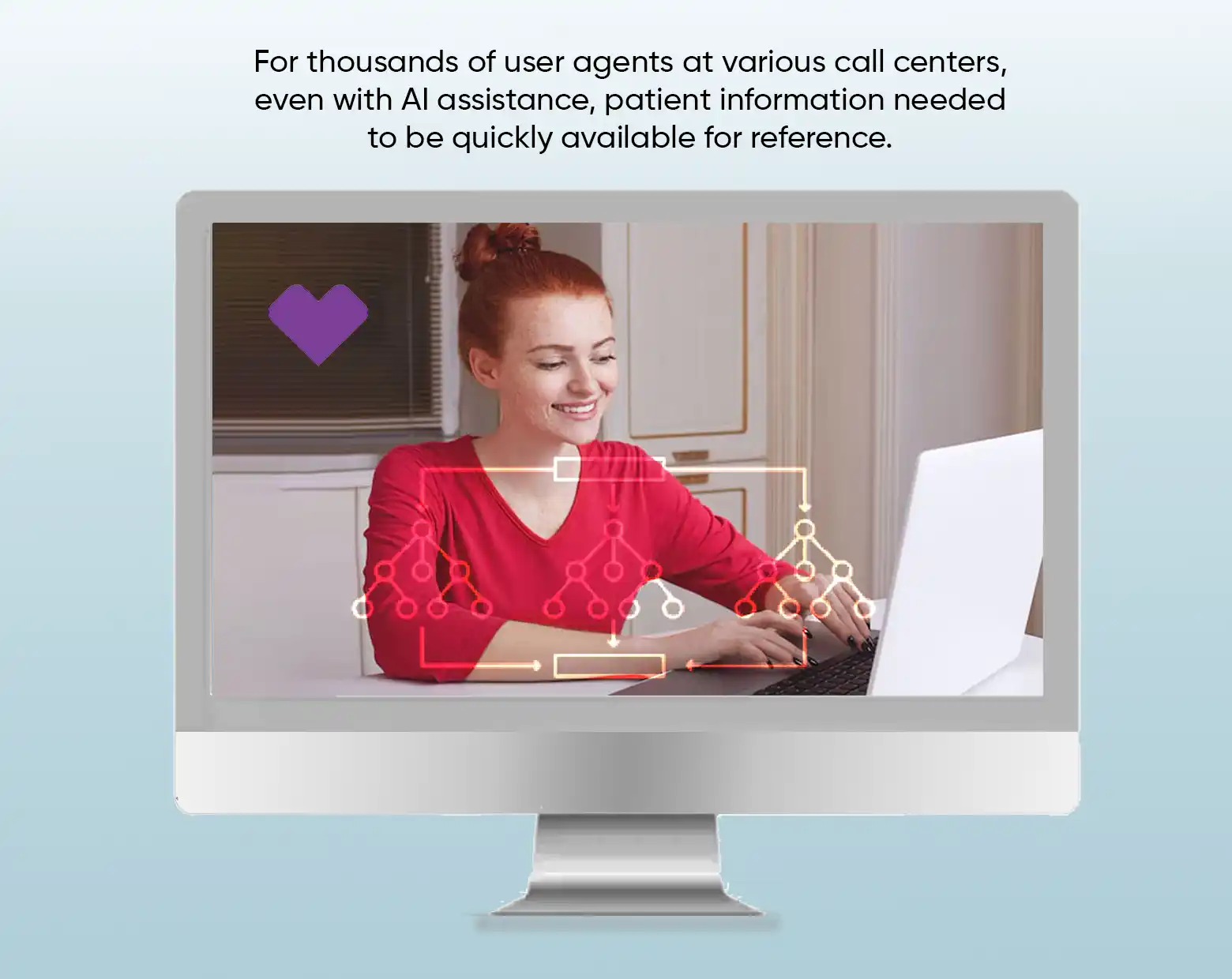
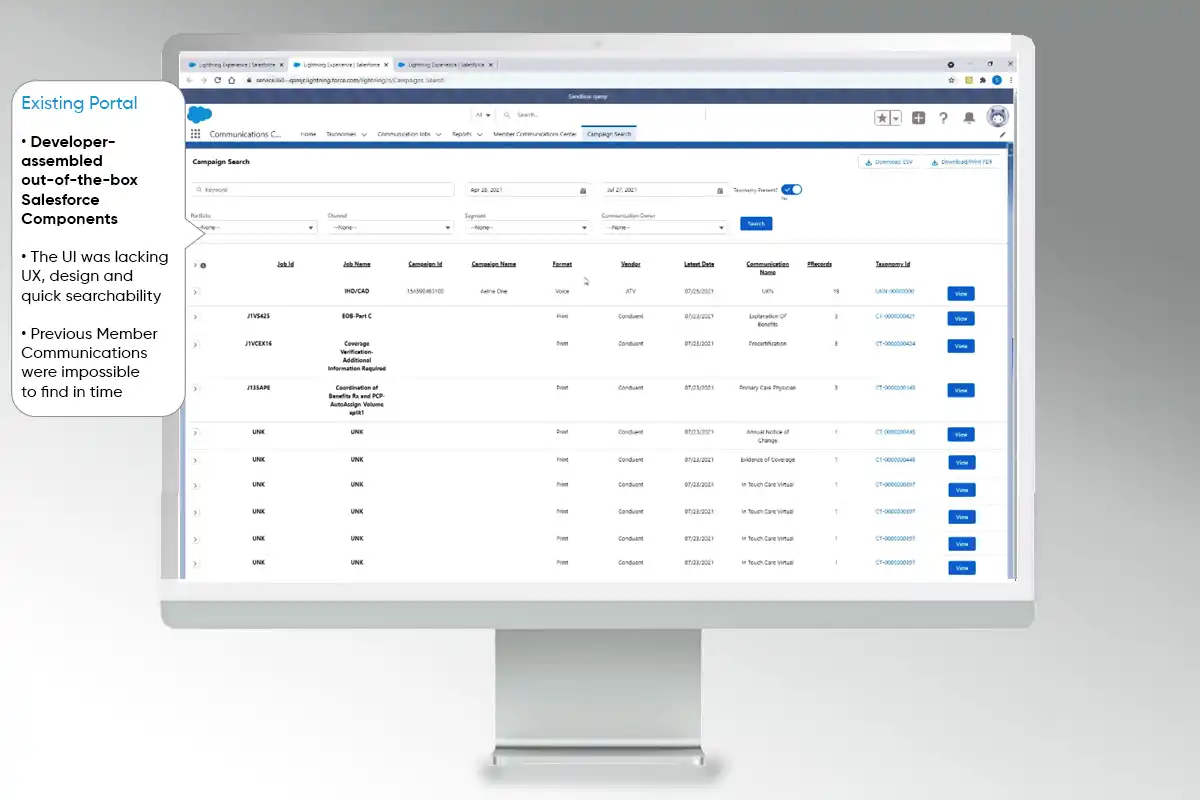
Aetna's user agents were working with a cumbersome portal that made it difficult to locate, view, and respond to client communications. The existing system did not support real-time access to client data across media types, had poor responsiveness on smaller screens, and forced agents through lengthy workflows just to find or reply to a client inquiry.
The business needed agents to resolve issues faster, reduce errors, and handle higher communication volumes — without increasing headcount.
My Role & Approach
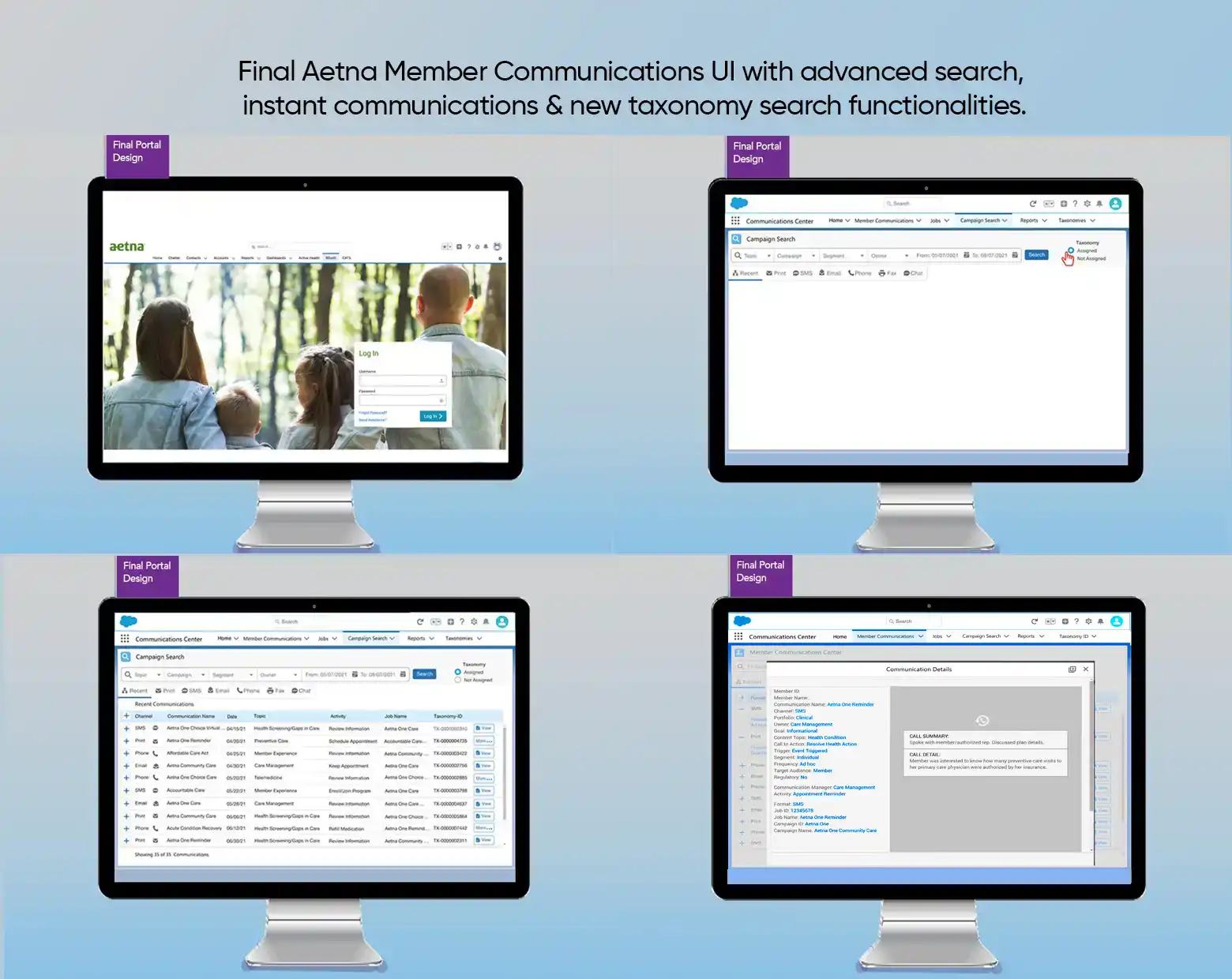
I led the UX redesign of the Salesforce-based Communication Portal end-to-end. Working within the Salesforce Lightning Design System (SLDS), I pushed the component library beyond its defaults — finding innovative combinations that created a cleaner, faster interface without requiring custom development at every turn.
Design constraint as advantage: Using SLDS components creatively meant the development team could implement quickly. My job was to show what was possible inside the system, not outside it.
Key activities included:
- Stakeholder and agent interviews to map pain points and actual communication workflows
- Information architecture redesign to surface the most-needed data upfront
- Responsive layout design ensuring full usability on desktop, tablet, and smaller screens
- Real-time data integration patterns so agents could see live client communication status
- A new taxonomy task flow to define and standardize communication categories
- Iterative prototyping and feedback loops with agent users
Design Highlights
Unified communication view: All client communications — regardless of media type (documents, messages, PDFs, records) — surfaced in a single, filterable view. Agents no longer jumped between applications to find what they needed.
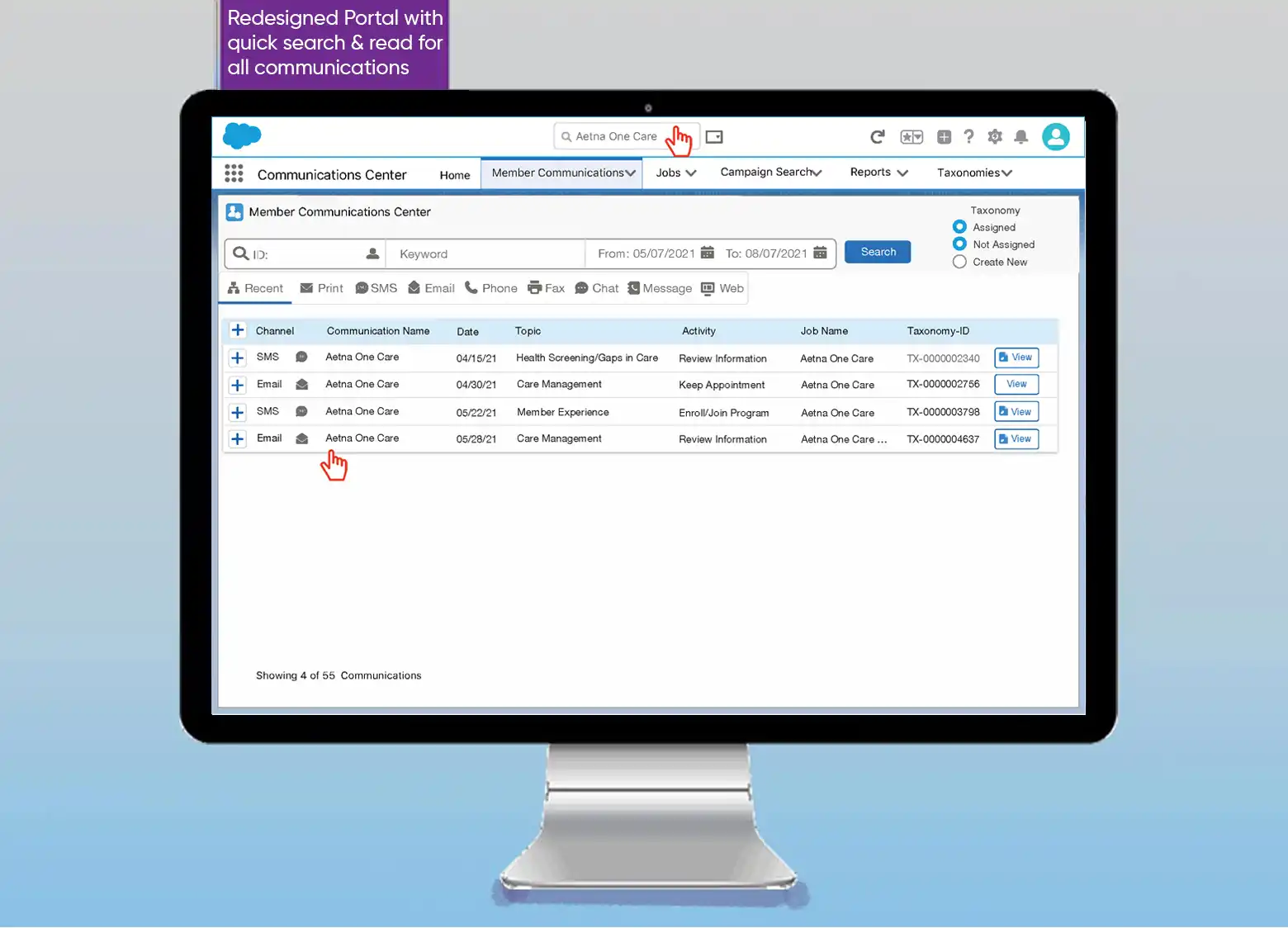
Real-time response interface: Agents could read a client question and reply within the same screen. No context-switching, no tab-juggling.
Responsive redesign: The portal now worked cleanly on all screen sizes, which mattered for agents working in flexible or remote environments.
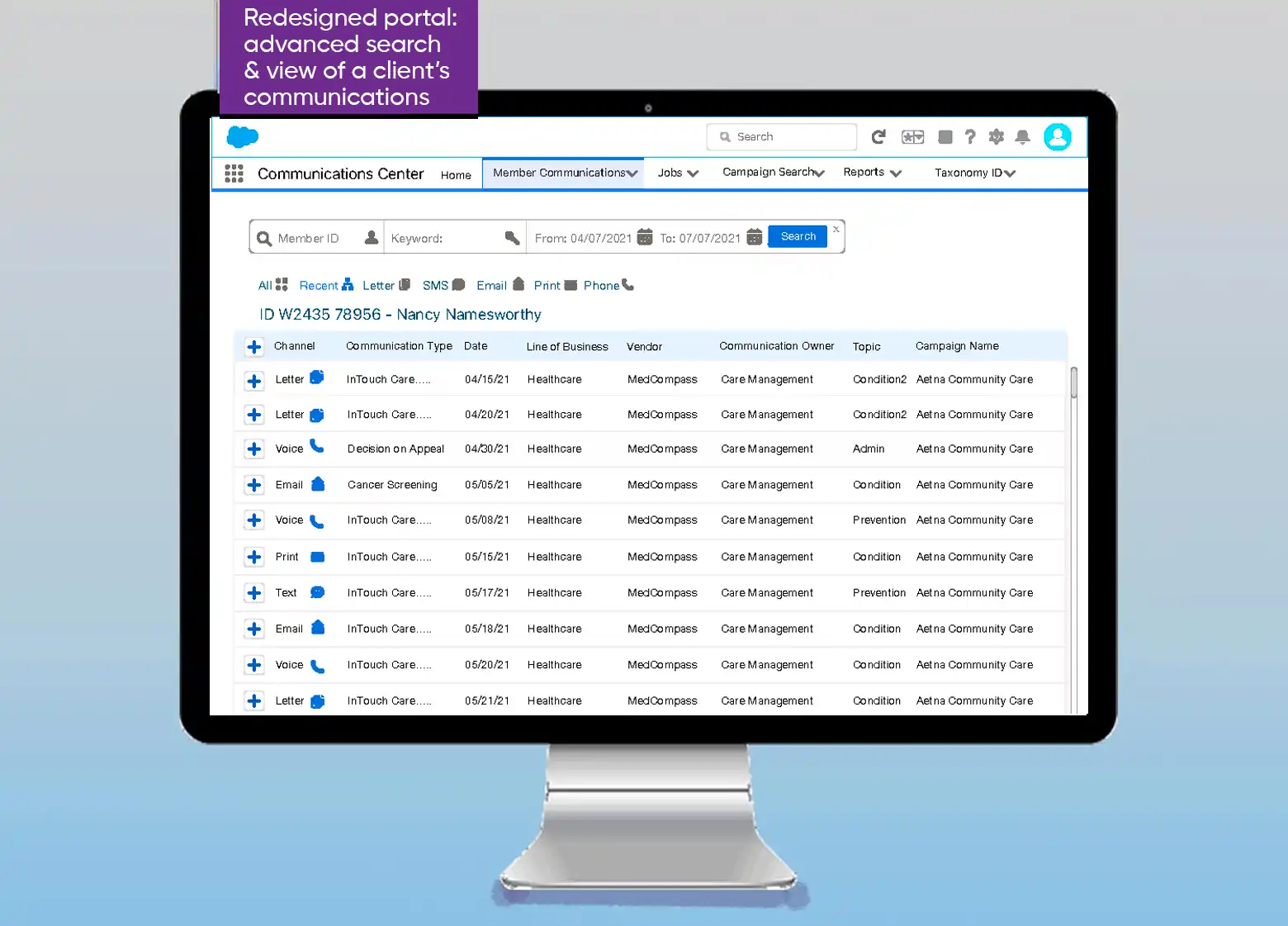
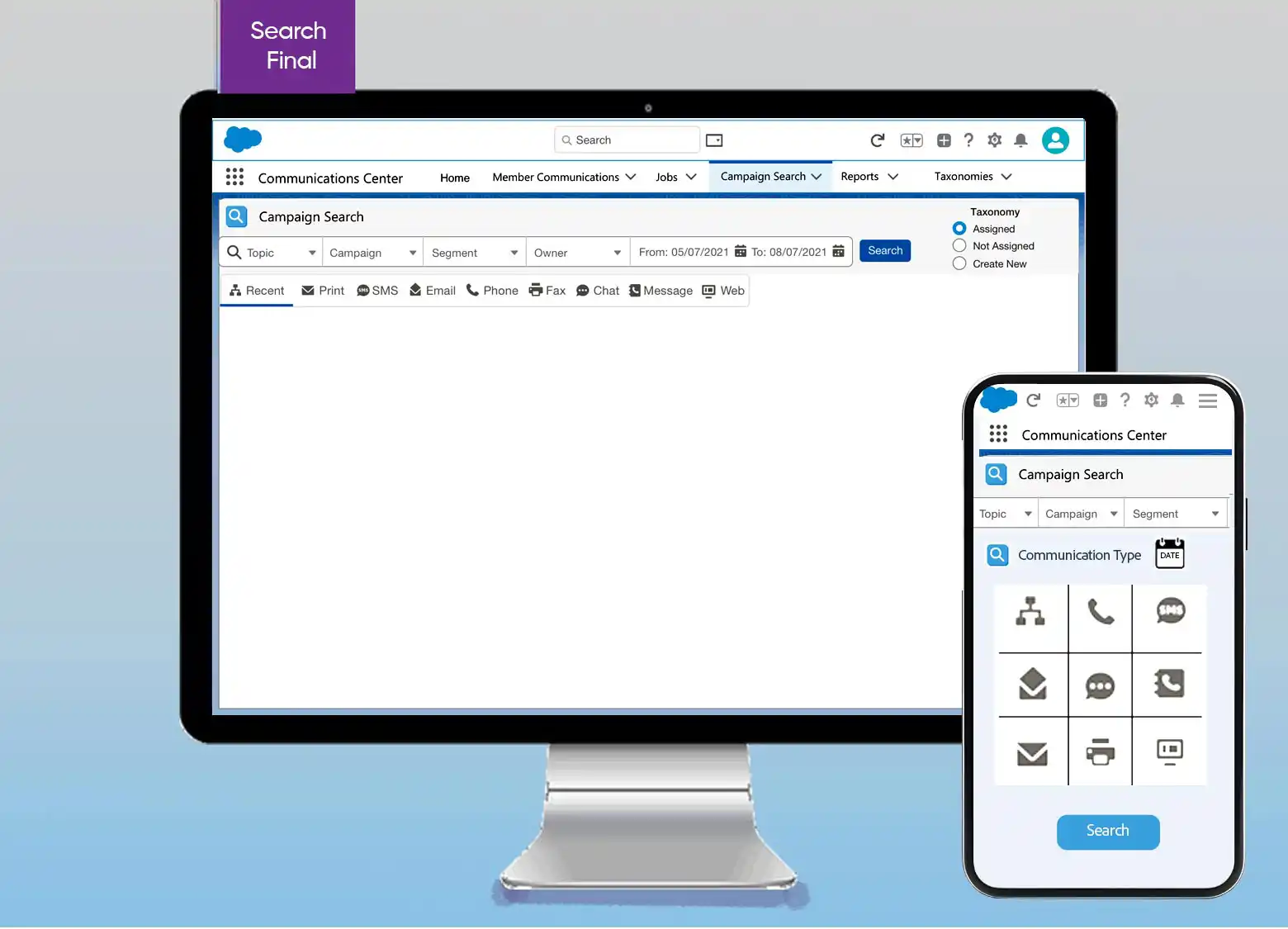
Taxonomy search & creation: I led the UX for defining new content taxonomies — a structured flow that let internal teams categorize communication types consistently, reducing misrouted queries and making search far more reliable.
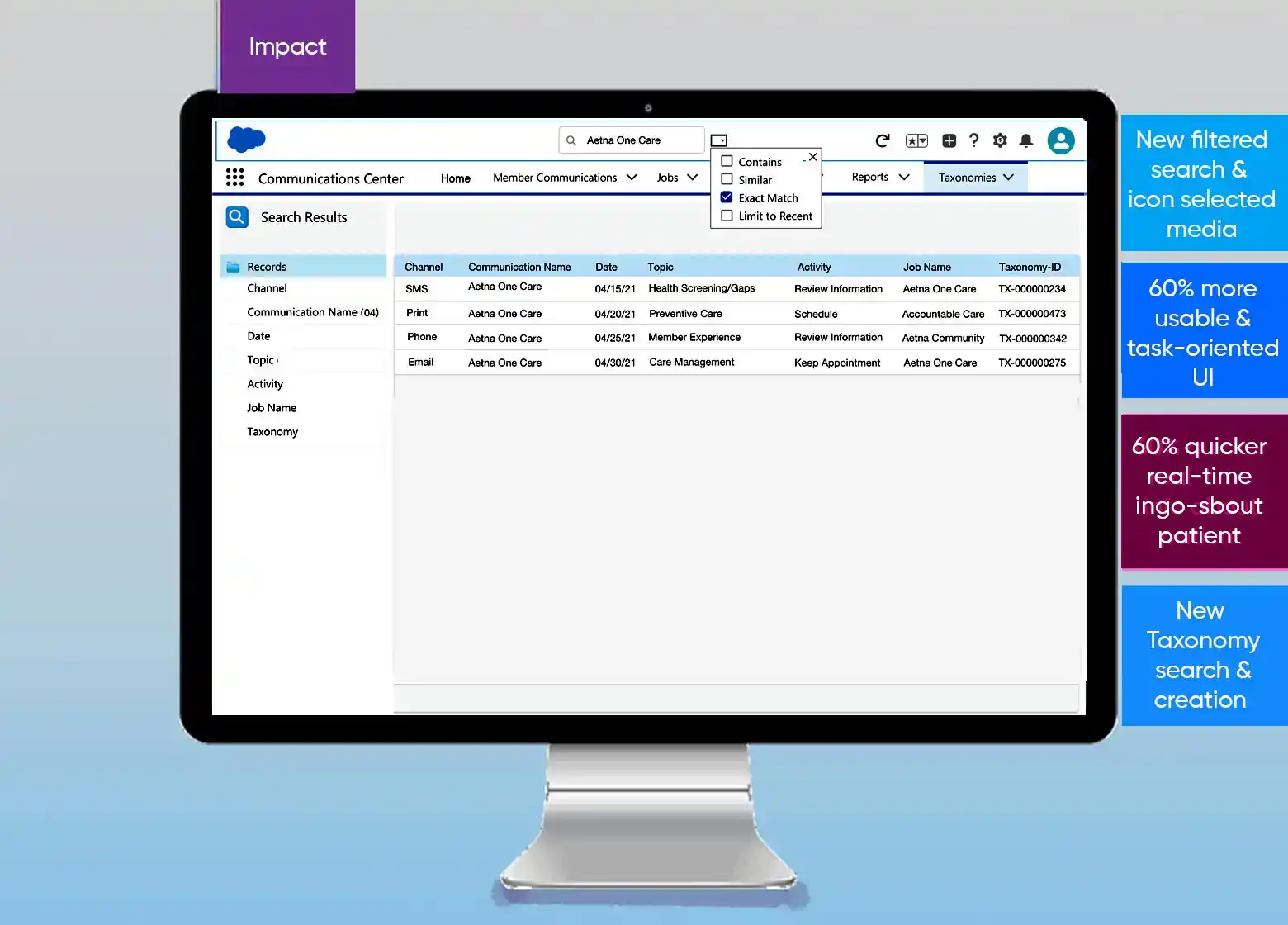
Outcomes